I gotta start bugging Claude Code to help me make adding images here easier, before I'm sucked backed into Ghost.
Page 13 of 13
#
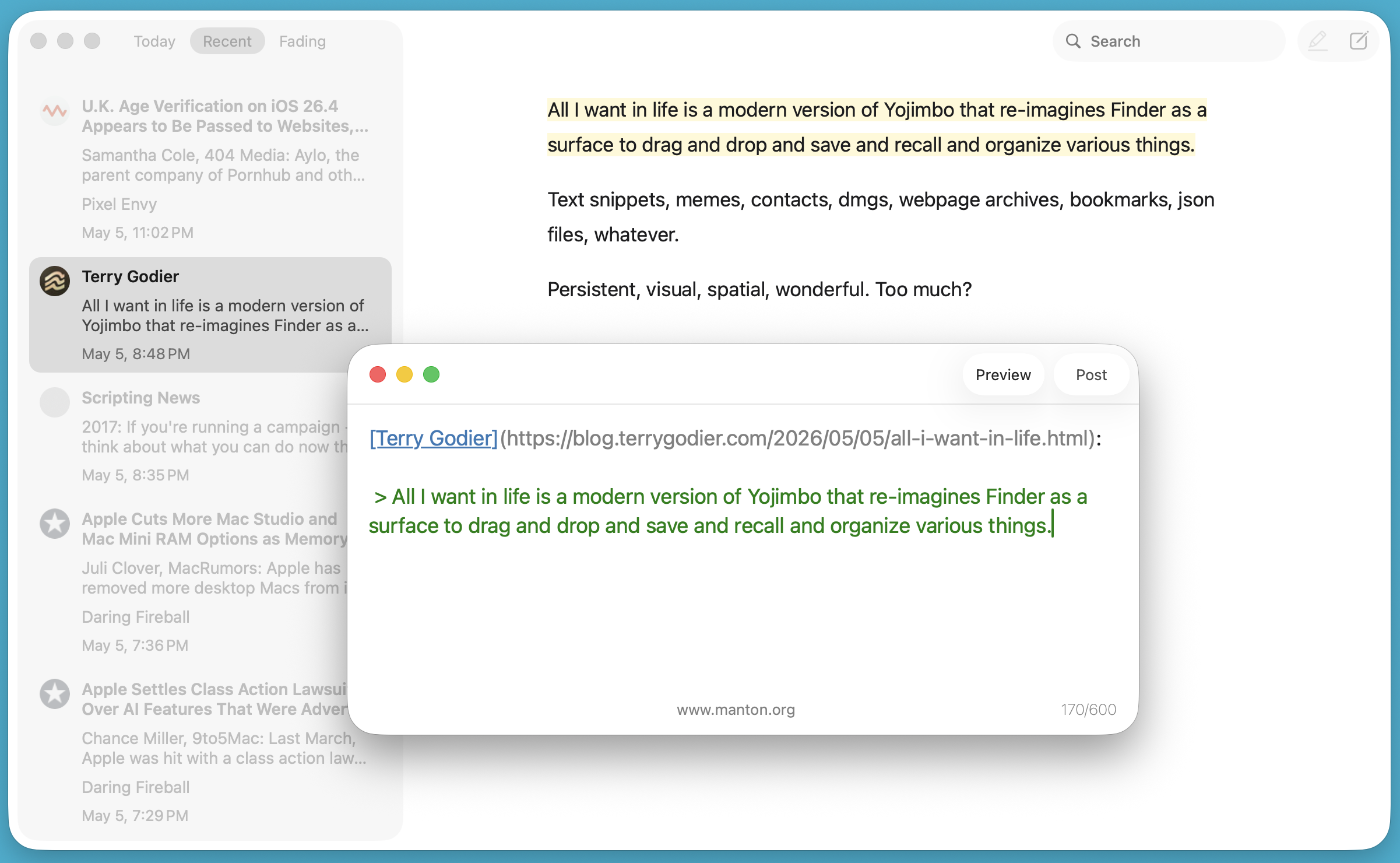
Major new version of Inkwell for Mac today. Now you can start a new blog post directly in the app, or use the built-in new post window to quote a post you're reading. Here's a quick screenshot.
My Inital Thoughts On Thunderbird Pro
Yesterday I received an email from the Thunderbird team inviting me to join a preview of their new hosted email service, Thunderbird Pro. I love email, so was very keep to sign up and test it out.
Before we get into this, I want to say that Thunderbird Pro is still under active development, please bear that in mind. Also, these are just my opinions, please don't get butthurt.
What is Thunderbird Pro?
I hate it when people explain what things are in a blog post, but I think it's warranted here since Thunderbird Pro (TB Pro) is a new product, so people may not know what it is.
With that in mind, TB Pro is a hosted email service by the Thunderbird team that includes email, contacts, calendar, secure file sending, and an appointment system that lets people book time with you.
It costs $6/month (paid yearly) and for that you get:
- 30 GB of mail storage
- 60 GB of Send storage
- 15 Email aliases
- 3 custom domains
My initial thoughts
So here's my thoughts - of which I have many, so I'll just list them out, then pick a few to talk about in more detail. Otherwise this will be a very long post.
- No webmail, it's being worked on though.
- Was easy to setup on the Thunderbird app - just had to login (my Zoho mail account auto-detects server settings, so not much harder though).
- Doesn't configure aliases automatically in Thunderbird.
- Prompts to add calendar and contacts via a single click when setting up in Thunderbird. That was a nice touch.
- No way to export all DNS records as a zone file when adding a custom domain.
- I think the 15 alias/3 domain limit is arbitrary and pointless.
- If you setup a catch-all for a custom domain, you can send from
[anything]@which negates the 15 alias limitation. - Appointments app is weird.
- Couldn't work out how to setup Send in Thunderbird.
- Admin UI is clunky and has a number of UI issues.
- No option to add additional mailboxes (understandable as this is a preview).
- 30GB is way too much storage for me. I'd like to see smaller, cheaper tiers.
I think the lack of webmail is a huge miss. Every email hosting service I can think of comes with webmail - many people access their mail on desktop via the browser, so I'd have liked to see that up front.
Having said that, maybe that's not the market Thunderbird are going for with this service. If so, maybe a lack of webmail is fine. I'd prefer to have the flexibility to check my mail from anywhere though.
I don't understand the 15 alias and 3 domain limitation. They cost nothing - they're just a line in a config file. Plus, adding a catch-all allows you to both send and receive email to/from [anything]@yourdomain.com, which renders the alias limit even more pointless.
I'd like to see these limitations removed.
Appointment service
The Appointment feature lets people book time with you directly. Think Calendly, baked into your email service. If you're a freelancer or consultant who lives and dies by booking links, that's probably a nice convenience. For everyone else, it's likely redundant.
Those who need it probably have a solution already, and those who don't will just ignore it. I'm in the latter camp, so there's no value for me.
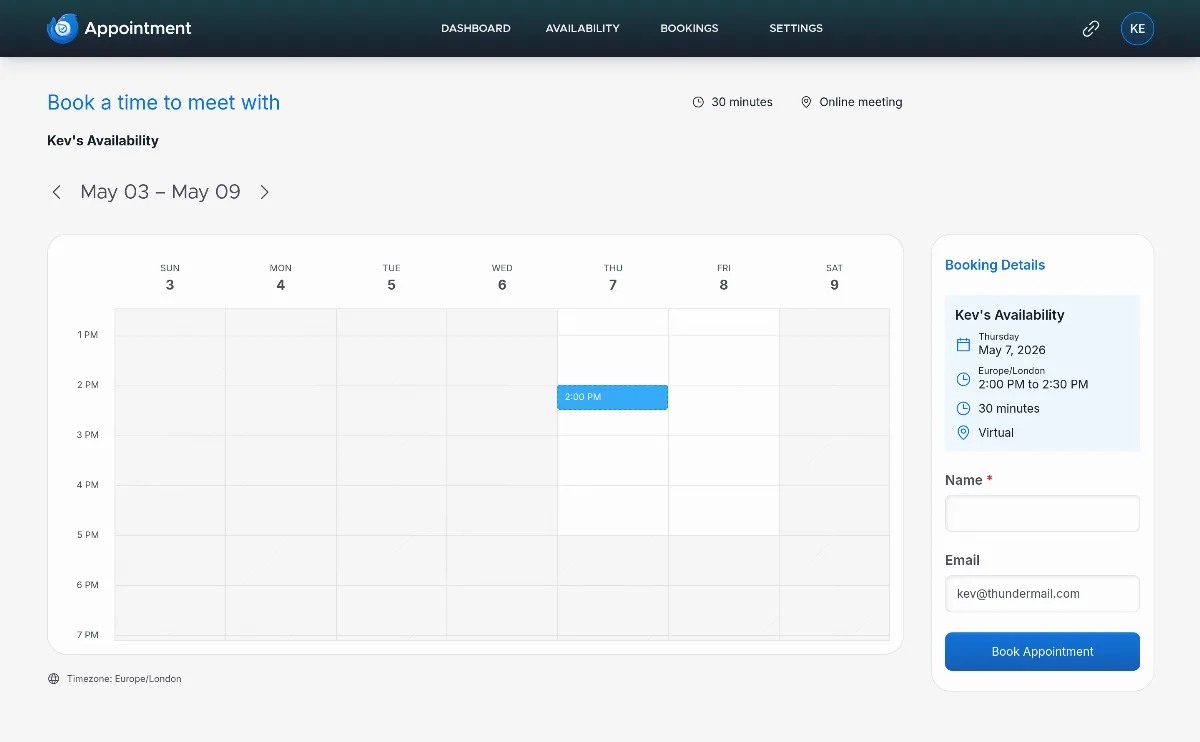 Thundermail Appointments
Send service
Unfortunately I couldn't test the Send service. On the dashboard it says:
To use Send, you must enable it in Thunderbird Desktop. Download the app and sign in to Thunderbird Pro from the Thunderbird menu.
For the life of me I couldn't find an option for Send within Thunderbird, so I couldn't test. Shame.
I'm using the Flatpak, which is currently on v140.10.1, and I see v150 is out, so that may be why. But the Flatpak is maintained by the Thunderbird team, so I would have expected this to all be sorted before the allowed paying customers to get their hands on Pro.
There is a support card on the Send dashboard, with an option to get help. Clicking that opens the Thunderbird docs in a new tab, showing nothing but a notice box containing $ thunderbird --version=pro. So something is broken.
Speaking of broken things, there were a number of other ugly UI notices and warning elements that displayed while getting set up. It just lacks polish, which I would have expected to be ironed out by the time consumers are getting their hands on it.
Final thoughts
If I'm honest, my first impressions are underwhelming. I get that this is an early preview but for the price, services like Zoho and Fastmail are better services, and better value for money.
I don't regret signing up though - it's important to support open source services, and as Thunderbird Pro matures, it will hopefully evolve into a service that can contend with the OG's in this space.
If it does, I'll consider moving over fully. But for now, I'm considering my subscription a donation to Thunderbird, as I'm a very happy user of their email app.
Thanks for reading this post via RSS. RSS is ace, and so are you. ❤️
You can reply to this post by email, or leave a comment.
#
Over the last few days, I’ve been seriously considering renaming Inkwell to something else. Inkwell is a common word, used in a bunch of things. That’s sort of good and bad.
As part of this brainstorming, I’ve used ChatGPT to sanity check a bunch of ideas. Pretty insightful statement from it:
I suspect your hesitation about the replacement names may be telling you something.
#
Catching up on WordPress.com Reader news, interesting that they based sync on Google Reader:
Any Google Reader-compatible app can now point at WordPress.com and use it as a sync backend. […] This wasn’t directly Fediverse work, but it’s part of the same idea: the Reader as a backend, not a destination. If your reading habit lives in a different app, that’s fine. Your subscriptions still live on WordPress.com.
When I bulit the API for Inkwell, I decided to pattern it after Feedbin’s API instead of Google Reader. Just seemed right.